
How to Buy a Flash Drive
Flash drives are the latest craze in portable storage technology. Technically known as USB Flash Drive (to distinguish from Flash Cards used in cameras or MP3 players, which have different device connections and don't have as sturdy cases.), they are also know as Thumb drive™ or jump drives™, pocket drives™, pen drives™.
 |
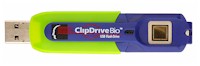 |
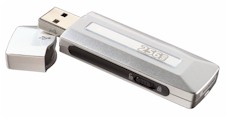
Shown above, Samsung Electronics Flash Drive (left) and Memory Experts Flash Drive (right) |
|
Flash drives are digital storage devices, usually smaller than a pack of gum, which can be used to store and transfer digital photos, business presentations, and music. They are easier and faster than burning a CD or DVD.
They can transfer files between computers (i.e. work and home), faster and easier than ever before. They don't require external power. They are shock resistant. And most will store data safely for at least 10 year.
Attributes
- Capacity - 32 Megabytes to 32 Gigabytes
- Speed - Usually quoted in Megabytes or Megabits per second to read and to write (there are 8 Megabits in a Megabyte).
- Size - Most are the size of a pack of gum or smaller
- Design - Most units have a removable top or a protective case that protects the USB plug. Some are even built into watches, pens or lipstick cases.
- Built in Features - Some have an LED that indicates when data is transferring
- Warrantee - Many units have a 1 to 5 year warrantees. Some even come with a lifetime warrantee
How to Choose
- First figure out your main uses of the flash drive. Will you be using it to transfer business files between two computers, music files between multiple computers, sharing photos with friends, etc.
- Determine your capacity and speed requirements. While business presentations can vary in size, you can estimate typical photos at 1 to 5 MB each and songs at approximately 4 MB each. If you will be transferring often or very large files, consider a faster unit.
- Make sure the flash drive is compatible with your operating system and USB ports. If you are sharing files across many different computers (perhaps older ones) consider a unit with Windows 98SE and USB1.1 compatibility.